Mounting a TV on Drywall: What Decides Where It Can Go
The wall you want and the wall that can carry the screen are not always the same wall. Four checks tell you which one you have.
October 20, 2026 · 4 min read
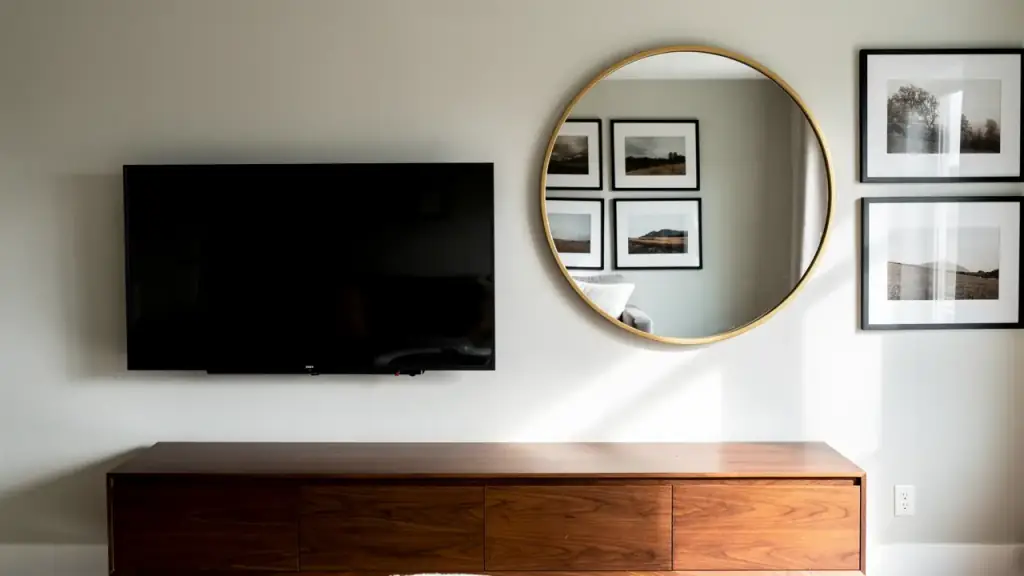
Picking the wall for a television usually starts with where the couch faces. It should start with what is behind the drywall. A modern TV is not especially heavy, but a mounted screen pulls on the wall at the top bolts and pushes on it at the bottom, and drywall alone is a soft, chalky board that was never meant to carry that. Whether your TV can go where you want it comes down to four things: studs, the mount, height, and cables.
Studs set the real limits
In many homes the wall studs sit 16 inches apart, measured center to center. Some walls use 24 inches, and older or modified walls can be irregular. A stud finder locates them, and you can confirm by tapping the wall and listening for the change from hollow to solid, or by driving a thin finish nail in a spot the mount will cover. A stud is only about an inch and a half wide, so a mount plate narrower than that spacing may catch one stud, or two if you are lucky. Aim for a plate that lands on at least two, with lag bolts driven into the center of each.
If the studs do not line up with where you want the TV, there are three honest options. Choose a wider mount plate that reaches two studs. Fasten a wood backer board across the studs and mount to that, which can be painted to match the wall. Or move the TV to a spot where the framing cooperates. Drywall anchors alone, such as toggle bolts, can hold a light mirror. They are a poor match for a screen you will tilt, pull out, and nudge every time you plug something into the back.
Know what the wall is made of before you buy anything. Plaster over lath, brick, stone, and concrete block each need different fasteners and different drill bits. Metal studs, which are common in offices and some newer buildings, do not take wood lag bolts at all. If a magnet keeps sticking in a line down the wall, or the drill goes through surprisingly easily and then stops, stop and sort that out first.
Check the mount against the TV
- Weight rating: the mount's rated load should be well above the TV's weight, not just barely over it.
- VESA pattern: the four threaded holes on the back of the TV sit in a standard square or rectangle, and the mount has to match that spacing.
- Type of arm: a fixed mount sits close to the wall, a tilting one angles down, and a full-motion arm swings out. The longer the arm reaches, the more leverage it puts on the wall, so full-motion mounts need the most solid anchoring.
- Hardware length: some TVs have curved or recessed backs, and the supplied bolts may need spacers to seat properly. Never force a bolt that binds.
Pick the height with the couch in mind
A common rule is to put the center of the screen at eye level when you are seated. For many living rooms that lands somewhere in the low 40s of inches off the floor, though your seating decides it. Over a fireplace, a TV hung high forces you to tilt your head back, which gets old in the middle of a long movie. To check a spot before drilling, cut a piece of cardboard to the TV's size, tape it to the wall, and sit where you actually sit. Leave room below for a soundbar or a console, and room above for the mount's adjustment range.
Plan the cables before the mount goes up
Three tidy options exist. You can leave the cables visible and bundle them. You can run them down the surface of the wall in a paintable channel. Or you can run low-voltage cables, like HDMI, inside the wall between two plates with brush openings. The third looks cleanest and needs the most care: you have to know what is in the wall, including wiring and pipes, and many walls have horizontal framing blocks between studs that stop a cable from dropping straight down.
Power is a separate question. A regular power cord or extension cord is not made to run inside a wall. Kits exist for in-wall power to a TV, and the clean solution is an outlet placed behind the screen, which is electrical work and may call for a licensed electrician depending on the job and your area. If you are not sure, treat the power as a different project from the mount and ask about it before you cut anything.
Putting the mount up
The order matters. Mark the stud centers, hold the plate level, and mark the holes. Drill pilot holes slightly smaller than the lag bolt so the stud does not split. Drive the bolts snug, not crushing. Attach the brackets to the TV while it lies face down on a soft surface, then lift it onto the plate with a second person. Do not carry a large screen alone up a ladder. Leave a little slack in every cable so the TV can tilt or come down for service without pulling on the connections.
Getting help with the install
Viking Handyman Services lists decor hanging as professional installation of wall-mounted televisions, mirrors, pictures and shelves to your specifications. If you are in Rutherford, Williamson or Wilson County, you can read the details at /services/decor-hanging. When you get in touch through /contact or at (615) 476-0089, it helps to have the TV size, the type of wall if you know it, and a photo of the spot you have in mind.
Viking Handyman Services, LLC, (615) 476-0089
Call (615) 476-0089More articles
How to Write a Honey-Do List a Handyman Can Finish in One Visit
The difference between a list that gets finished and one that turns into three trips is mostly in how each line is written.
Moving an Outlet or Living With an Extension Cord
If a cord has become a permanent part of the room, the outlet is probably in the wrong place. Here is how to tell, and what changes when you move it.